Shortcut Maker
- 3.4
- Rating
- 10.00M
- Installs
- Free
- Price

 Analysis by App-foxy
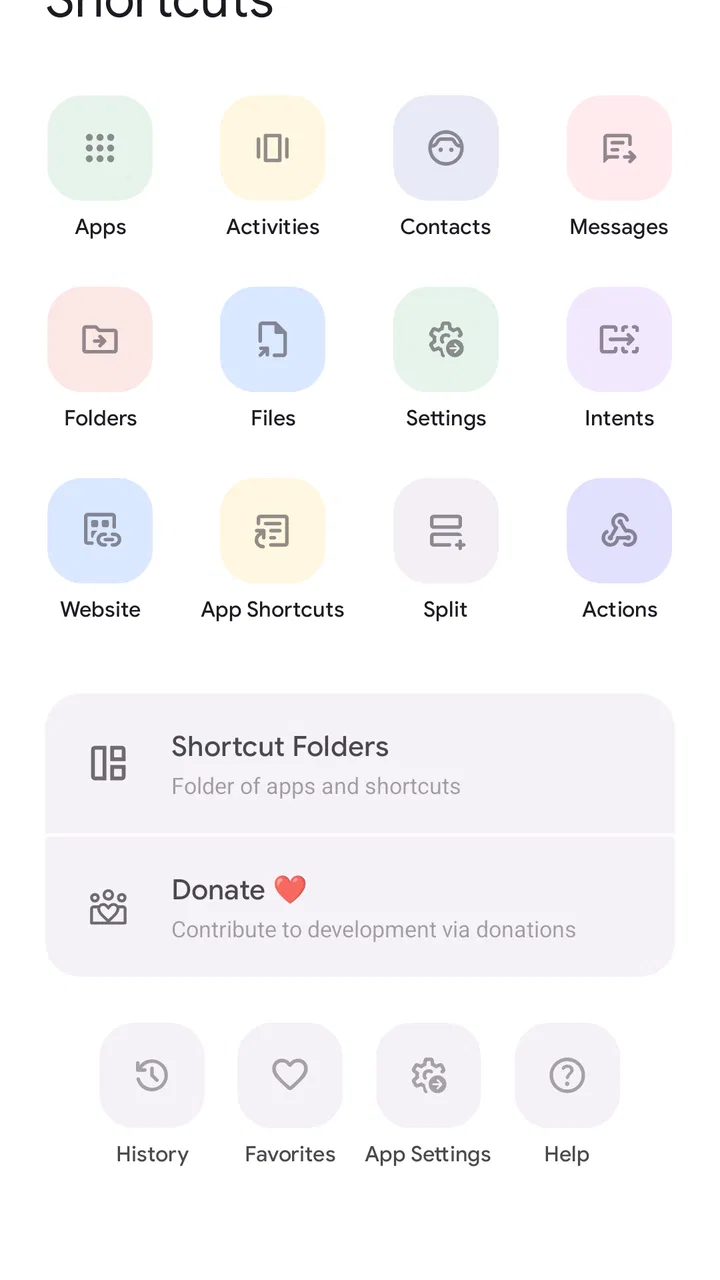
Shortcut Maker is the kind of Android personalization app I appreciate more after living with it for a while. Its purpose is straightforward: it lets me place shortcuts for actions, apps, settings, and other destinations where I can reach them faster. That sounds modest, but it can make a phone feel much less tiring when the standard route involves several taps or a menu I regularly forget.
Developed by Rushikesh Kamewar, this free app sits in the personalization category and is suitable for Everyone. It has been available since January 8, 2020, and the current version is 5.0.7 for devices running Android 9 or later. Its average rating is 3.0 from around 23 thousand ratings, while its reach has passed 10 million installs. Those figures suggest a useful but not universally smooth experience: many people find a place for it, yet the middle-of-the-road rating reflects the need for patience during setup.
How the interface feels to read and navigate
My first impression is that Shortcut Maker is more practical than polished. The app is built around choosing something and turning it into a shortcut, so the experience makes sense once I understand that basic pattern. I do not need to learn a complicated editing system, but I do need to pay attention to the labels and the destination I select. The app is most comfortable when I approach it with a specific goal rather than browse without knowing what I want.
You May Also Like

 Blood Strike: 2.5 Anniversary
Blood Strike’s Loadouts Turn Every Drop Into a Tactical Gamble
A close look at Blood Strike’s custom loadouts: how fast access to signature weapons reshapes its battle royale rhythm, rewards preparation, and narrows the gap between fights.

 Pandora - Music & Podcasts
Pandora’s Music Is Easy to Start, but Harder to Recover
Pandora’s strength is its low-effort path from a seed to a station. Its weak spot is how much confidence it asks you to place in connection, setup, and quiet recovery.

 8 Ball Pool
 Is Built on Rivalries, Rematches, and Routine
A close look at the rivalries, rematches, shared routines, and unanswered safety questions that turn a quick pool match into a persistent mobile community.

 Samsung Music
’s Quiet Strength Is Playing What You Already Own
Its reach comes less from spectacle than from dependable access to a personal library. That simplicity is both the app’s strongest retention engine and its ceiling.

 AccuWeather: Weather Radar
AccuWeather Review: A Quick, Clear Forecast for Everyday Decisions
For everyday plans, the best forecast is the one you can understand quickly. AccuWeather makes rain timing, radar, and local conditions easy to act on, with a few trade-offs.

 Hill Climb Racing
Why Hill Climb Racing Still Turns Crashes Into One More Run
A tiny car, a bumpy hill and one more upgrade: Hill Climb Racing keeps resurfacing because its simple chaos makes every near-miss feel personal.
More From Our News Desk
View All News


That distinction matters for readability. A person who wants “a faster way to reach this exact setting” will probably find the structure easier than someone expecting a curated collection of attractive widgets. The app is a tool for creating access points, not a visual theme store. I found it more useful to decide on the shortcut first, then work through the available choices, rather than tap around hoping to discover something interesting.
The navigation can be helpful for people who prefer a direct, task-focused workflow. Once a shortcut is created on the home screen, the app itself no longer needs to be opened for that everyday action. This reduces repeated searching and can be especially useful for anyone who finds nested Android menus confusing or mentally expensive. The real benefit is not decoration; it is reducing the number of decisions between the home screen and a familiar task.
At the same time, the app does not remove all of the complexity of Android. The available destinations can vary depending on the phone, the installed apps, and what those apps expose to the system. That means the same search or category may feel generous on one device and limited on another. I would not treat an empty or unexpected result as proof that I am using it incorrectly; sometimes the phone simply does not offer that destination as a shortcut.
Making labels work for the way you think
A shortcut is much easier to use when its name tells me exactly what it does. I recommend choosing short, plain labels instead of relying on a vague app name or an icon that may be hard to distinguish from several others. For example, a label that describes the action or destination is more useful than a clever nickname when I am tired, rushing, or looking at the home screen in poor light.
This is also where the app can support different reading preferences without promising a special accessibility mode. Someone who benefits from fewer visual choices can keep only the shortcuts that matter and place them in a predictable area. Someone who prefers text over icons can use clear names as a memory aid. The result depends partly on how carefully the home screen is organized, but Shortcut Maker gives me a practical way to shape that organization.
I would create shortcuts in small groups rather than filling the screen all at once. A page dedicated to communication, another for device controls, or a compact row for frequent work actions is easier to scan than a crowded collection of nearly identical icons. This is a simple workflow, but it is one of the more valuable ways to make the app feel inclusive: the user controls the final arrangement instead of adapting to a fixed dashboard.
Where it helps with motor effort
For people who find repeated taps uncomfortable, a shortcut can remove several small movements from a routine. The savings are not dramatic for every task, but they accumulate. Reaching a commonly used screen directly can be easier than opening an app, locating a menu, and selecting an option each time. This may also help users who have limited dexterity or who prefer not to perform precise gestures repeatedly.
There is a trade-off, though. Creating the shortcut still requires a setup process, and that process can involve selecting the correct entry from a list. If several choices look similar, accuracy matters. I found it best to create one shortcut, test it immediately, and only then make more. That prevents a home screen from becoming cluttered with shortcuts whose destinations are not what I expected.
The app is also useful when a standard Android route requires a gesture that is difficult to remember or perform consistently. A fixed home-screen icon can be easier to target than a swipe, particularly for someone who prefers stable touch locations. I would still leave enough space around frequently used icons, because a shortcut only helps if it can be tapped reliably without accidentally opening a neighbor.
For users who rely on voice control, switch access, or other system-level interaction methods, the experience will depend heavily on Android and the phone launcher. Shortcut Maker creates an entry point, but it does not replace the operating system’s own accessibility tools. In my view, that is a sensible way to understand it: it can simplify the route, while the actual method of selecting the shortcut remains shaped by the device.
Visual and sensory comfort in everyday use
Shortcut Maker can reduce visual searching because it lets me bring important destinations forward. That is valuable when the problem is not the destination itself but finding it among many menus. A carefully named and positioned shortcut can act like a visual signpost. I would not create one for every possible action, because too many signs become noise.
People sensitive to clutter may prefer a minimal layout with only a few high-value shortcuts. People who need stronger visual separation can group icons by task and use labels that do not depend on color alone. These are home-screen decisions rather than guaranteed app features, but they are central to getting a comfortable result from this particular tool.
There is no reason to assume that every icon or label will be equally easy for every person to interpret. Some destinations may have similar names, and an icon can be ambiguous when viewed quickly. My practical solution is to test shortcuts in the conditions where I will actually use them: from a distance, one-handed, at night, or while distracted. If I hesitate, I rename or reposition the shortcut rather than blame myself for missing it.
Using it in real situations
A realistic example is a person who changes a device setting several times during the day. The usual path may involve opening Settings, remembering which section contains the control, and navigating through another screen. With Shortcut Maker, I can create a direct home-screen entry if that destination is exposed by the phone. After testing it, I can place it beside other controls and reach it without repeating the full search.
Another useful situation is a work or study phone with a few destinations that are scattered across different apps. Instead of depending on memory for where each action lives, I can build a small launch area around the home screen. One shortcut might lead to a frequently used app function, while another opens a device-related screen. This is not a replacement for a full automation system, but it is a lighter solution when I only need direct access.
I also see value for people who share a phone with family members who have different habits. A home screen can be arranged around the actions one person uses most often, with clear labels that reduce explanation. The approach is especially practical when the person does not want to learn a new launcher or change the entire appearance of Android.
For users with attention or memory difficulties, the best approach is to treat shortcuts as external reminders. A label can say what the action is for, not merely where it leads. Keeping the number small is important: a few dependable cues are more helpful than a wall of options. I would review the layout after installing or removing apps, because a shortcut can lose its usefulness if the surrounding organization changes.
How it compares with ordinary alternatives
The standard Android home screen is enough for many people. If I only open apps and use the notification shade for settings, Shortcut Maker may feel unnecessary. Android’s built-in options are usually simpler because they are already integrated into the launcher and system interface. They are the better choice when I want the fewest moving parts.
A full custom launcher is more powerful for someone who wants to redesign icons, gestures, grids, folders, and overall navigation. It can offer a broader accessibility-oriented layout strategy, depending on the launcher and device. The cost is more setup and a larger change to familiar phone behavior. Shortcut Maker is more focused: I can keep my existing launcher and add selected entry points instead of rebuilding the whole home screen.
Widgets are another alternative, but they occupy more space and often present information rather than a single destination. Shortcut Maker makes more sense when I want a compact action point. Automation apps are stronger when I need a sequence to happen automatically, but they can require more technical knowledge and may introduce more configuration. I would choose Shortcut Maker when the problem is access, not automation.
There is also a practical difference from bookmarking a web page or pinning a recent item. Those methods work well for content that lives in a browser or a particular app, while this app is useful when I want to expose a destination that is otherwise hidden inside Android or an installed application. The advantage is flexibility; the weakness is that not every internal destination is available or stable across devices.
Small workflows that improve the experience
My preferred workflow begins with a short list of tasks I perform often but reach inefficiently. I create only one or two shortcuts, test them, and observe whether they genuinely reduce effort. If a shortcut saves no time, I remove it. This prevents the common mistake of treating every available option as valuable simply because it can be placed on the home screen.
I also recommend using consistent naming. If one shortcut begins with an action and another begins with an app name, scanning becomes slower. A consistent pattern makes the group easier to learn. For a person who relies on text, this may be more important than the icon itself. For a person who recognizes shapes quickly, keeping related shortcuts together may be the better strategy.
Another non-obvious trade-off is maintenance. A shortcut is a useful promise to my future self, but it can become confusing after an app changes, is removed, or exposes a different internal screen. I check important shortcuts after major phone changes and delete anything that no longer behaves as expected. This is a small habit that protects against tapping an old entry and assuming the phone is malfunctioning.
I would also avoid placing sensitive destinations in a prominent location if other people regularly see or use the phone. A shortcut can make access faster, but speed is not always desirable for every screen. The right arrangement balances convenience with the context in which the device is used.
Remaining barriers and reasons to skip it
The biggest barrier is inconsistency between Android devices. The app may present choices that are named differently from what I expect, and some destinations may not be available at all. A person who needs a guaranteed, identical route across several phones may find this frustrating. In that case, the phone’s built-in controls or a launcher designed specifically for a consistent layout may be a better fit.
The setup also asks for a certain amount of visual and cognitive sorting. I need to distinguish similar entries, understand what each one points to, and remember which shortcut I created. Someone who wants a single obvious button with no exploration may prefer a simpler built-in feature. Shortcut Maker is flexible, but flexibility always creates choices.
Although the app is free to install, in-app purchases range from around one dollar to around one hundred thirty dollars per item. That pricing range makes it sensible to examine what is available before assuming every part of the experience is included at no cost. I would begin with the free workflow and only consider an optional purchase if it clearly solves a problem I actually have.
The 3.0 average rating is another reason I would approach it with realistic expectations. The app has a substantial user base, but popularity does not guarantee that it will behave identically on my phone. I would test the exact shortcuts I need before reorganizing my entire home screen around them.
People who want visual theming, advanced automation, or a complete launcher replacement should probably skip this app. It is not the right tool for building elaborate routines or redesigning every part of Android. Its strength is narrower and more practical: placing selected destinations closer to the surface.
My inclusive verdict
I recommend Shortcut Maker to people who understand the specific route they want to shorten. It can make a phone easier to navigate by turning hidden or frequently revisited destinations into recognizable home-screen entry points. That can support different abilities and situations, especially when fewer taps, clearer labels, and stable touch locations matter.
I would describe it as a useful customization layer rather than a complete accessibility solution. Its value depends on the phone, the launcher, the destinations exposed by installed apps, and the care taken during setup. The best results come from a small, tested collection of clearly named shortcuts, not from filling every available space.
For me, the decision is simple: if Android’s normal menus make a repeated task unnecessarily difficult, I would try it because the free starting point makes experimentation easy. If I need guaranteed behavior, rich automation, or a fully redesigned interface, I would choose a more specialized alternative. Shortcut Maker is at its best when it quietly removes friction from a few important actions without asking me to relearn my entire phone.
FAQs for Shortcut Maker
01What is Shortcut Maker and how does it work?
Shortcut Maker is an app designed to help users create custom shortcuts for apps, tasks, and settings on their Android devices. By streamlining access to frequently used functions, it enhances productivity and personalization. Users can design shortcuts with unique icons and names, making navigation both efficient and visually appealing.
02Is Shortcut Maker safe to use and does it require any special permissions?
Yes, Shortcut Maker is safe to use. It requires standard permissions necessary for creating and managing shortcuts on your device. The app does not access or store any personal data, ensuring user privacy. Always download from reputable sources like the Google Play Store to avoid compromised versions.
03Can I customize the appearance of the shortcuts I create?
Absolutely! Shortcut Maker offers extensive customization options, allowing users to personalize icons, labels, and even the colors of their shortcuts. This feature ensures that your home screen reflects your style and makes it easier to identify and access your most-used apps and tasks quickly.
04Does Shortcut Maker affect my device's performance or battery life?
Shortcut Maker is designed to be lightweight and efficient, minimizing any impact on your device's performance or battery life. It operates in the background only when needed, ensuring that your device remains responsive and energy-efficient while still providing quick access to your favorite features.
05Is Shortcut Maker compatible with all Android devices and versions?
Shortcut Maker is compatible with most Android devices running Android 5.0 Lollipop and above. However, certain features might be limited based on the device's specific capabilities or operating system version. It's always a good idea to check the app's requirements and user reviews for compatibility details before downloading.
Pros
- Highly customizable shortcuts.
- Intuitive user interface.
- Supports various app integrations.
- Lightweight and fast performance.
- Regular updates and improvements.
Cons
- Limited widget customization options.
- Occasional bugs when creating shortcuts.
- Some features require in-app purchases.
- No cloud backup for shortcuts.
- Limited documentation for beginners.

Shortcut Maker
Gallery